
Accessing the IRIS Platform
Logging In
IRIS account
IRIS is a secure environment which requires fully authenticated user credentials to gain access. Users can ONLY access IRIS project sites to which they have been approved by both their COMPANY and Vysus Group. Users will be informed by email by the IRIS support team of their username and initial password. The username will be the user's normal email address.
Once received, the user shall enter the provided credentials through the login portal as shown below:
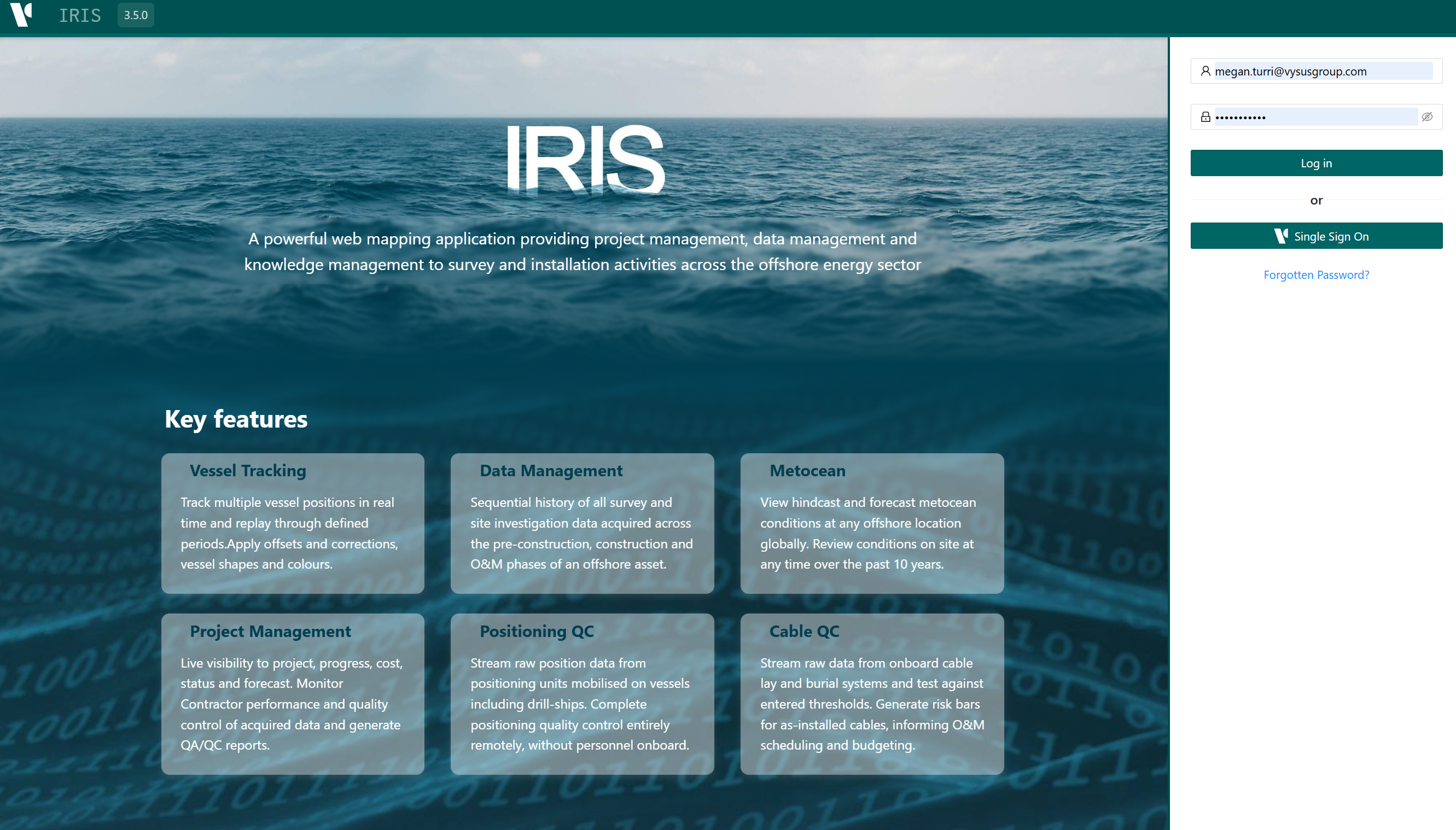
If a user attempt to login and the account has expired, a screen will present saying so. In this instance , contact IRIS support.
Changing Password
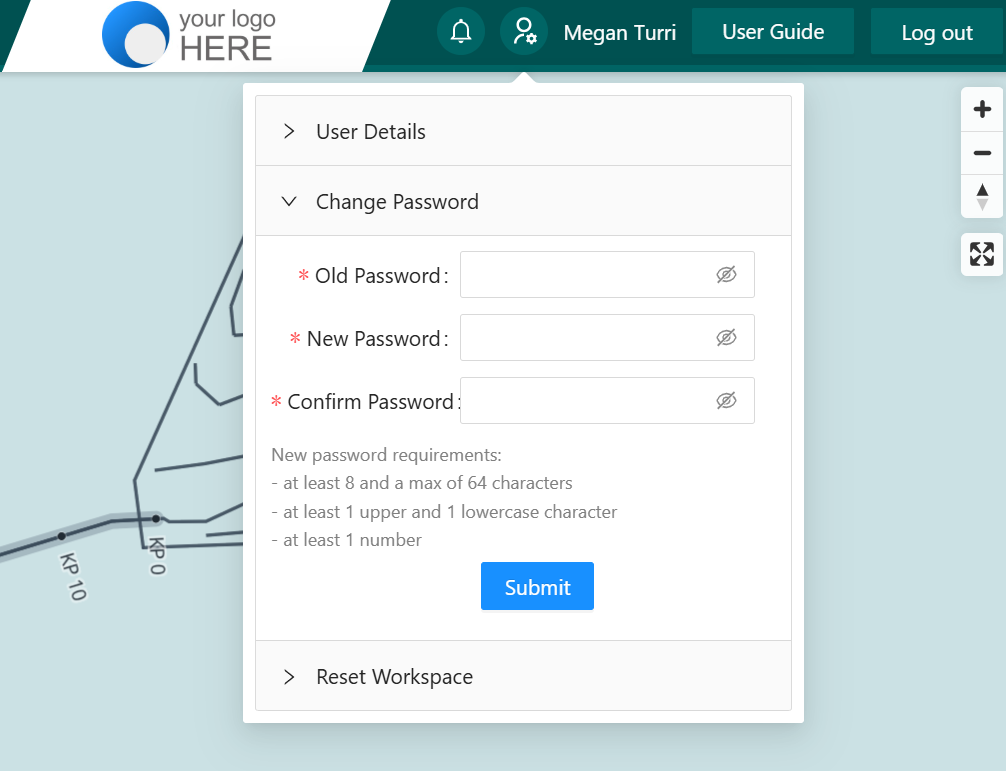
You can subsequently change your password at any time by clicking your username in the top right hand corner and expanding the Change Password tab.
Notifications and Communication preferences
IRIS has the ability to send notification either through the site or through email. These notification can include new features or tutorial, project vessel alerts, loitering vessel alerts and new DPR data.
Clicking the notification icon will bring up a list of current notifications as well as a users communication preferences. Here you can update how you receive notifications for the selected project as well as applies those preferences to all project that you have access to.
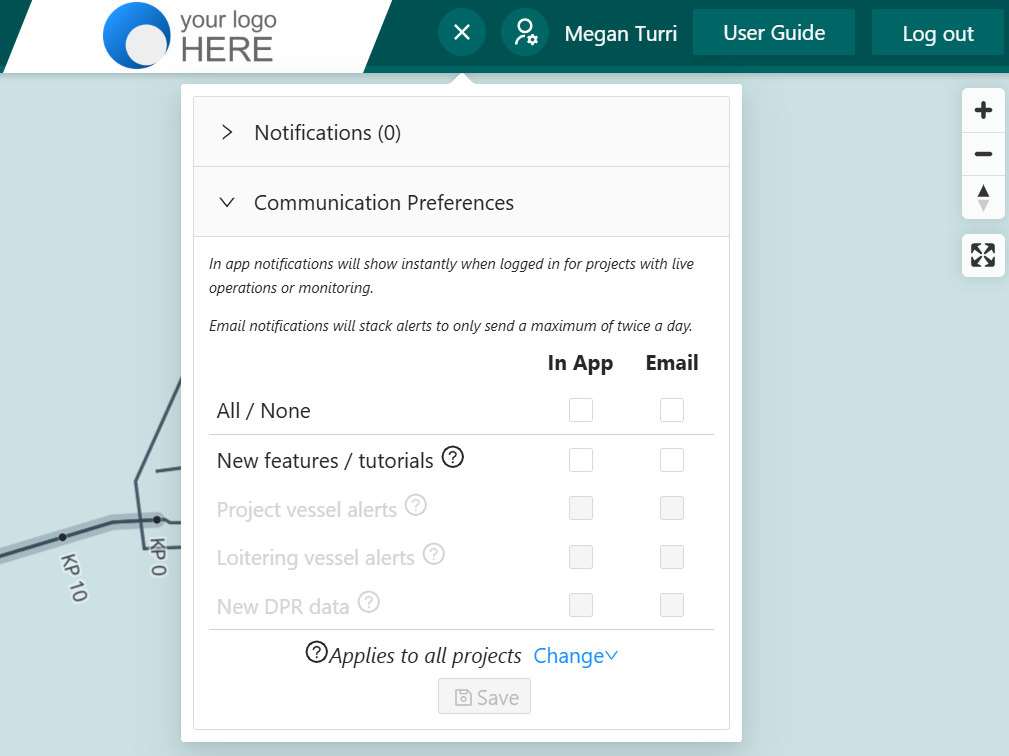
This feature is continuing to develop with the potential for more notification types as well as custom data alerts on live data in the future.
Forgotten / Lost Password
If you have forgotten or lost your password, you can select the 'Forgotten Password' link at the login page. This will create a popup to select an email address to send a rest link too.
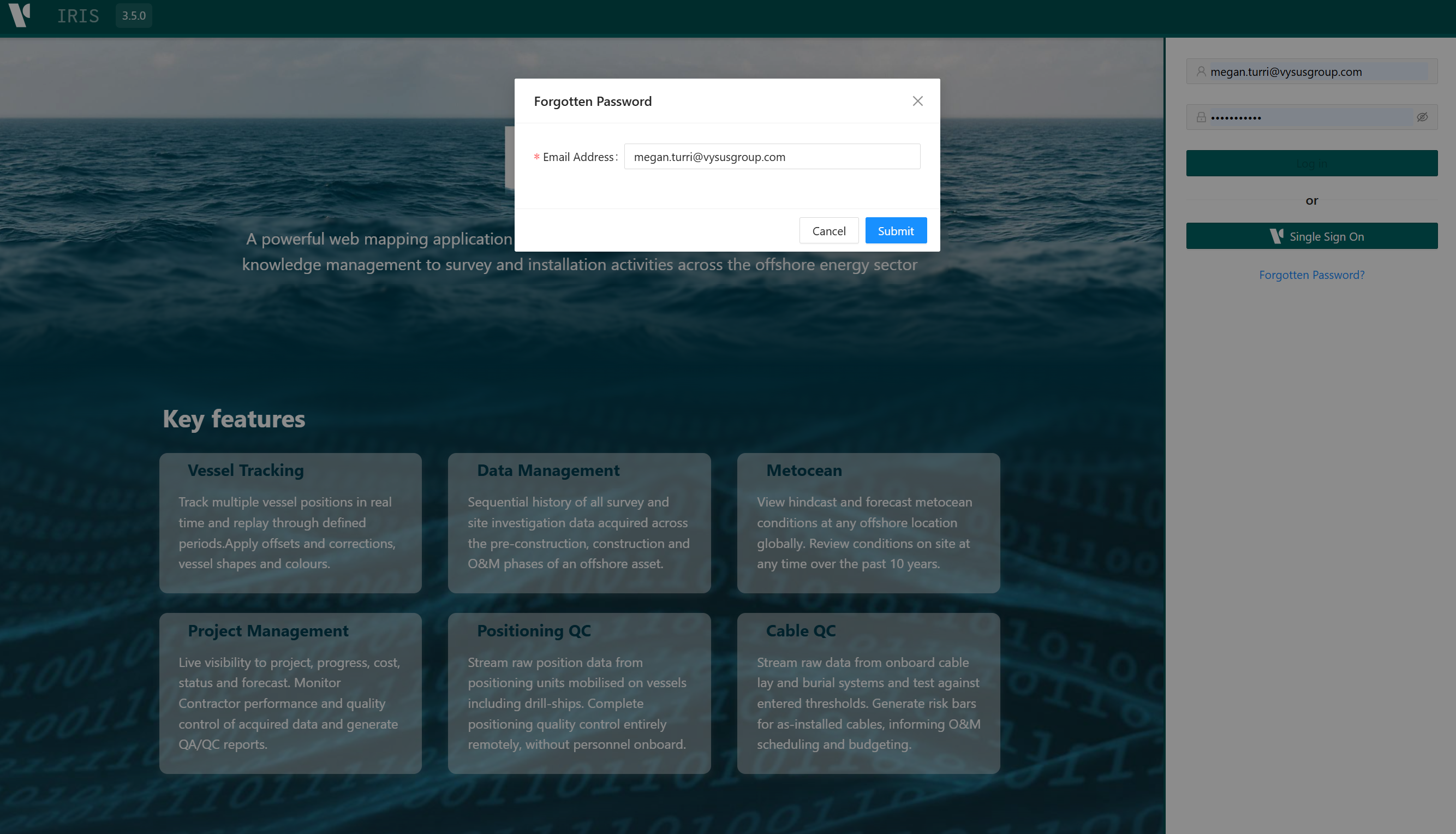
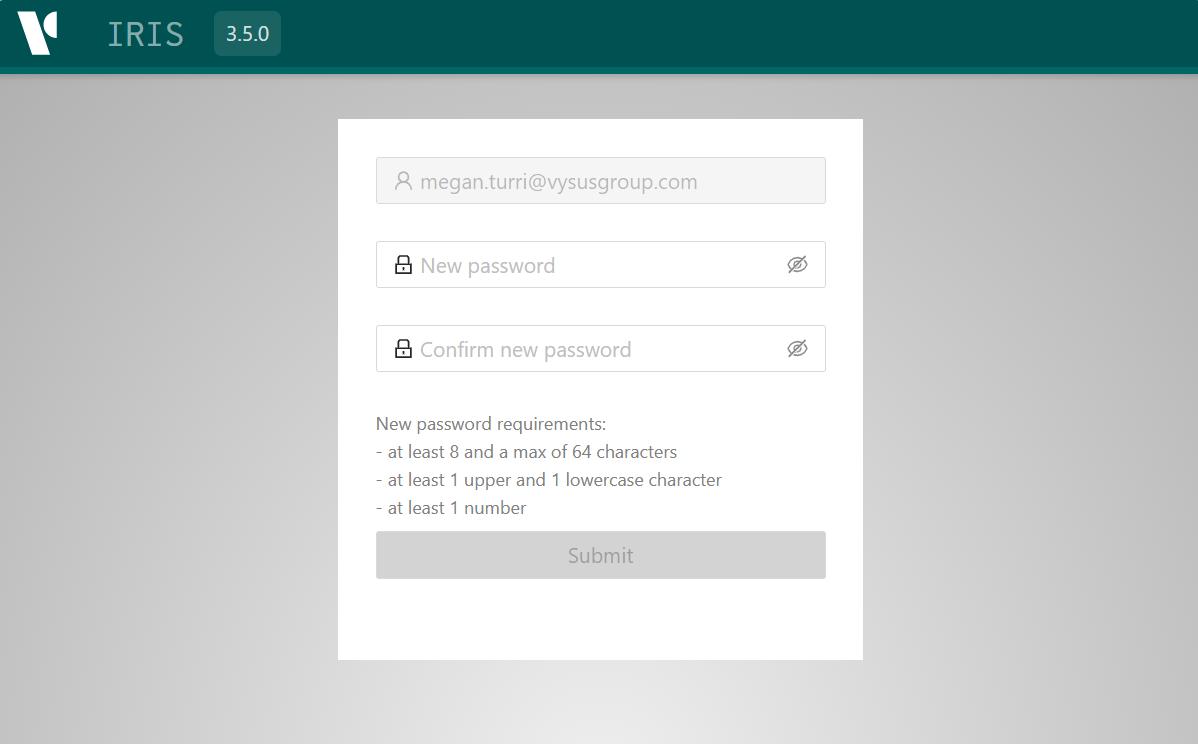
The link will direct the user to a secure page to set a new password, before directing back to the login page.
IRIS Permissions
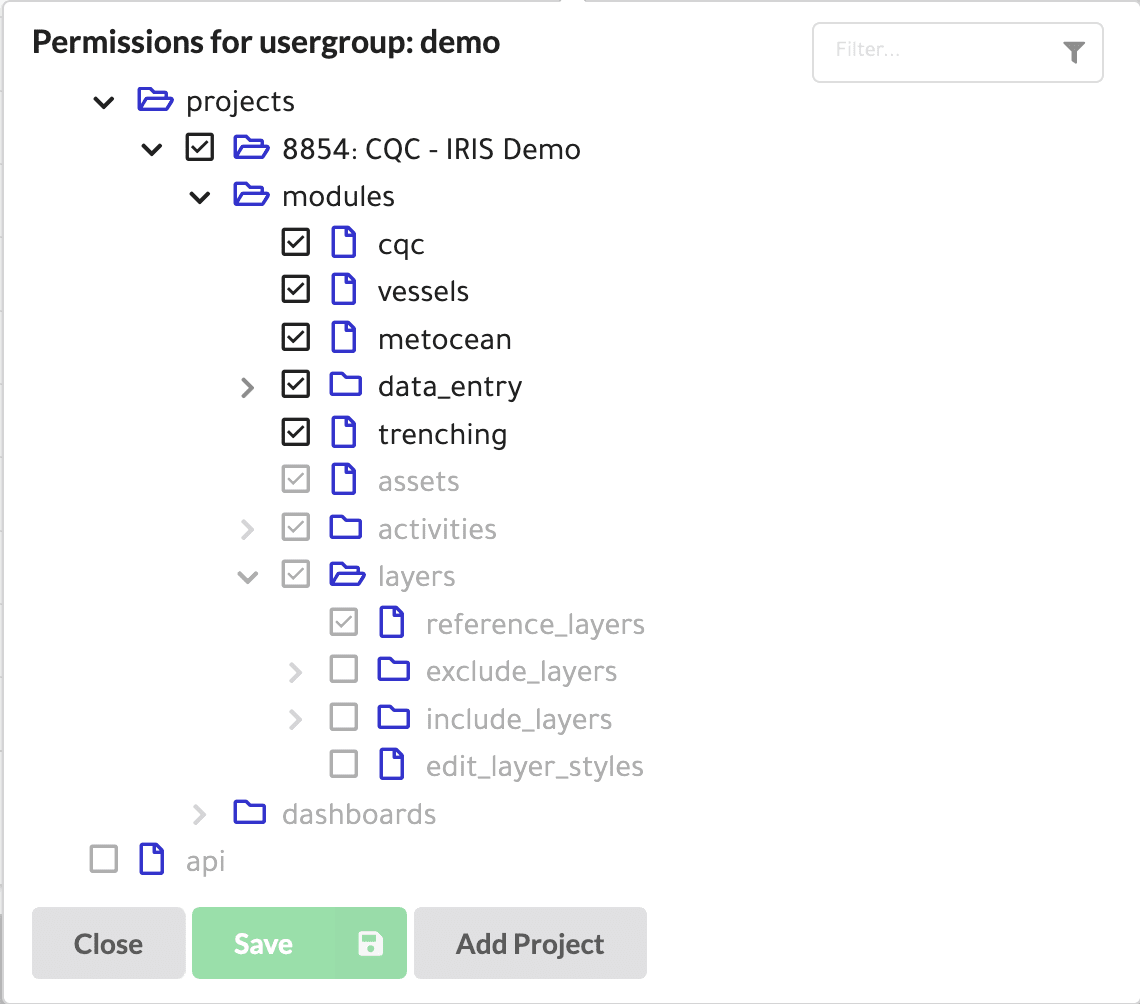
IRIS incorporates a comprehensive permissions structure that allows or restricts access to various project sites, functionality, features and data. This capability restricts user access to unsubscribed modules and dashboards and is also used to control access to specific or sensitive projects, data and information. The assigned permissions are tied to a user's login credentials. An IRIS Account Manager will be assigned within each CLIENT organisation who will confirm to the IRIS support team, the permissions profile to be applied to each user. Any request for such permission changes must be made to the Client's IRIS Account Manager who will review, approve and request that the permissions profile is amended. A schematic of how the permissions are applied is shown below:
Vysus Group Single Sign-On
Employees of Vysus Group can click the Single Sign On button which uses issued Vysus Group credentials, instead of requiring the entry of a second set. All other account, password and permissions requirements are the same as for CLIENT users. Access to IRIS sites can only be approved by the relevant Survey & GeoEngineering Project Manager with, where applicable, further approval from the Client's IRIS Account Manager.
Logging Out
Once completed with IRIS, please click the Log Out button on the top right hand side of the IRIS work space window. Regularly logging out is good practice and ensures that newly released updates are loaded at the next login. The majority of IRIS user configurations are cached and maintained within memory on the local machine or device. However please note that currently configurations from default may not survive a full device power cycle.